Synametrics Technologies
Revolving around the core of technology
Creating dynamic executable files
Easily create complete executable files using WinSQL Professional. With just a few mouse clicks you can:
- save results of any SELECT statement to an executable file. This executable can either be
- Static- always displays the same data
- Dynamic- pulls fresh data from the server every time it is run
- share this EXE file with anyone you like
- no other file is required to run the executable if it is static *. An ODBC driver is required if the executable
is created as dynamic.
- this EXE file will work on Windows XP, 2000, 2003, 2008, Vista and Windows 7
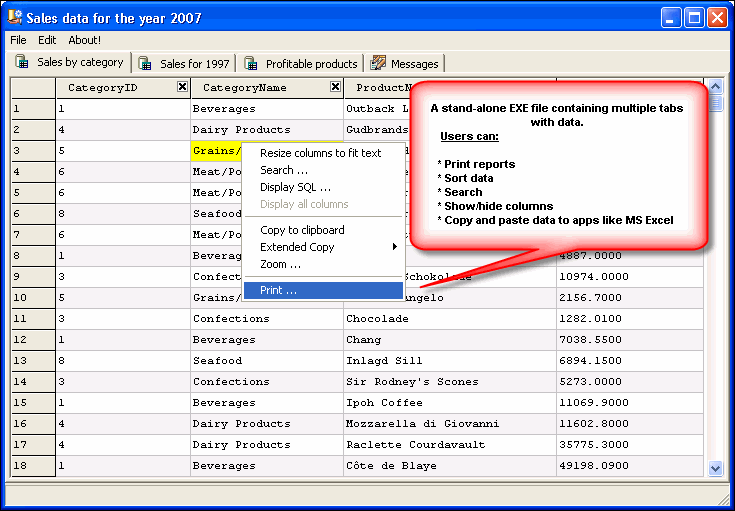
- When this EXE file is run, it will allow users to
- Print report based on the data
- Search data
- Copy data and paste into applications like MS Excel
- Double click the column header to sort
- Show/hide desired columns
* Microsoft .NET Framework v4.5 is required. This framework comes with the operating system on Windows 8.1 and Windows 10. You will have to install it if using an older version.
Steps to create an EXE file
Step 1: Run one or more queries and display results in grid.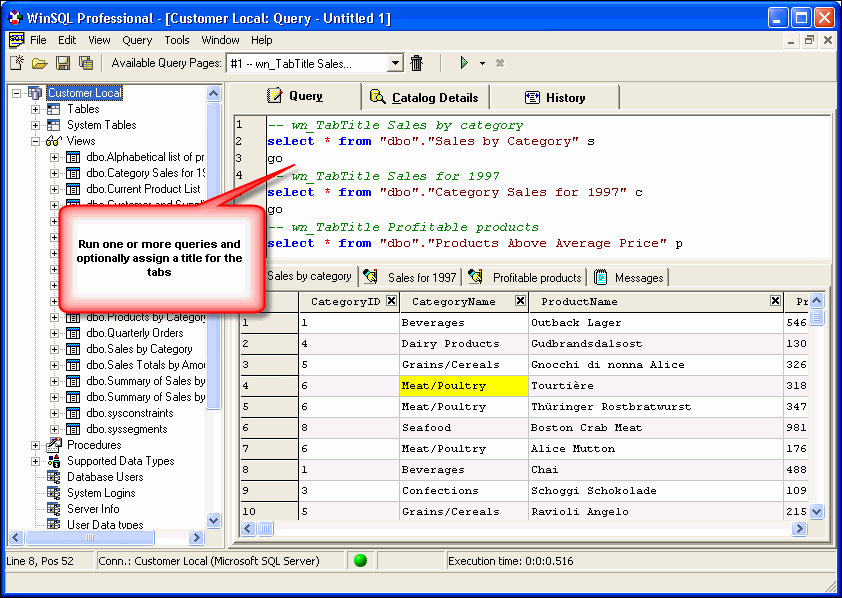
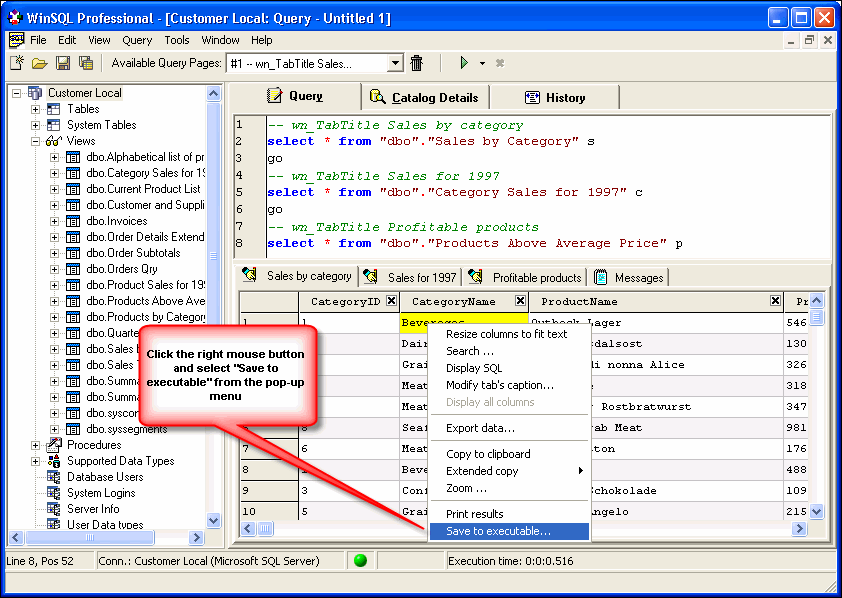
Step 2: Click the right mouse button and select Save to executable from the pop-up menu
Step 3: This brings up the EXE generation wizard.
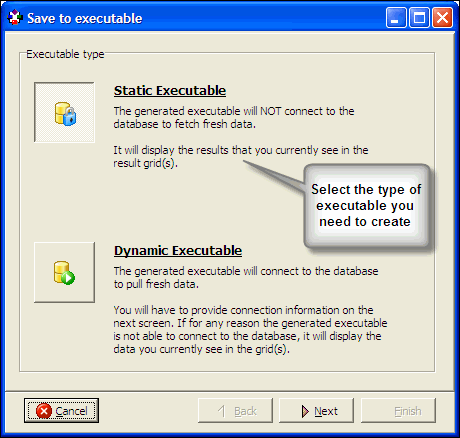 |
The first screen prompts the user to select the desired type of executable. |
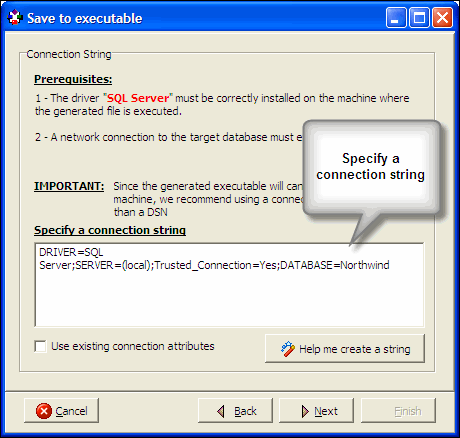 |
You are asked to specify a connection string if you decide to create a Dynamic Executable. If you expect the same DSN available on the target machine, you can check the Use existing connection attributes check box. |
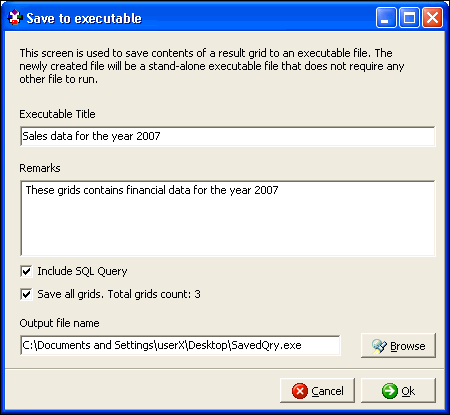 |
Finally specify the output file and click finish |
Step 4: Share the generated EXE file with any other colleague. They won't need any other file to run this EXE.
Prerequisites
Aside from the presence of .NET framework, there are no prerequisites if you create a static executable. WinSQL creates a self-contained file that runs on any machine without installation and does not need any other file to runA dynamic executable, on the other hand, will have to connect to the database at run-time. Therefore, an ODBC driver must be installed on the target machine. Due to installation complexities and licensing issues, the generated file does not include the ODBC driver.
Additionally, you must specify a valid connection string that is used to establish connection to the database. There are two types of connection strings:
- Contains a data source name (DSN)
- Contains the ODBC driver name
If the same DSN does not exist on the target machine, you must specify a connection string containing the driver name. A connection string contains parameters as name-value pairs. Refer to WinSQL User's Guide for example of connection string for some common databases.
Benefits of creating an executable
The traditional way of sharing data with someone else is to first export it in a common format, such as a text file or spreadsheet. On the receiving end, this data must be either be imported or must be viewed in the application that can read it.Creating an executable file offers several advantages over the traditional method. For example:
- You do not need any other application to view the exported data. Entire data is embedded inside the executable file.
- There is no limit on the number of rows that you can store.
- Data can be searched and sorted easily
- Users can easily print reports
