Synametrics Technologies
Revolving around the core of technology
Using Meta AI to facilitate tasks with a relational database
This page discusses how to use Meta AI when working with relational databases. It walks you through the steps to create an API key and then uses that key with WinSQL to chat with their AI platform.
Joining Meta's Waitlist
At the time of this article (November 2025), Meta offers a free developer account, but due to high demand, you must join their waitlist. Once you get an account, create an API key. Then, use this API key in WinSQL.
Configuration in WinSQL
- Open WinSQL, connect to your desired database back-end and click the tab for AI Chat.
- Copy/paste the API key you obtained from Meta's website
- Enter the value for your desired model. See image below.
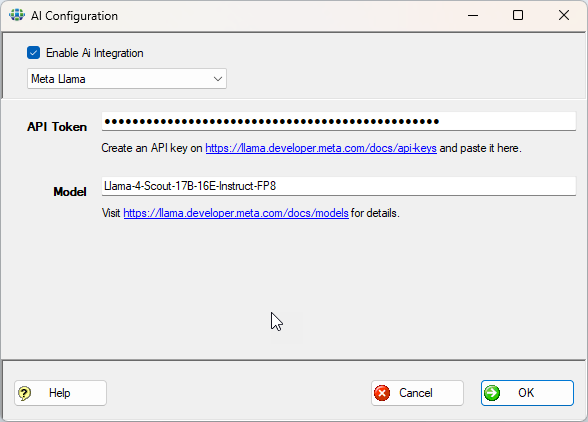
- Finally, click the Okay button.
