Synametrics Technologies
Revolving around the core of technology
Document information
| Document ID: | 802 |
|---|---|
| Subject: | What happens once your trial period is over? |
| Creation date: | 7/29/09 4:14 PM |
| Last modified on: | 12/14/18 11:31 AM |
What happens once your trial period is over?
We thank you for trying WinSQL Professional. Once your 30-day trial period is over, WinSQL will convert to the Lite edition. We hope that you were able to explore all features that are bundled with WinSQL Professional. We feel that WinSQL Professional offer features that are typically sold as separate products by our competitors.
If you enjoyed using WinSQL Professional and would like to upgrade from WinSQL, you may do so online using our secure website.
If you decide to continue using WinSQL Lite, you may do so for as long as you like. The serial number you have received will never expire.
Important
If you decide to upgrade to the Professional or Standard edition, all you need is a serial number. Once you apply a new serial number your existing binaries will get upgraded.Disabled Features
Every feature that comes with Professional or Standard edition will get disabled. Below is a partial list of features that won't be accessible in WinSQL Lite. For a complete list click here.
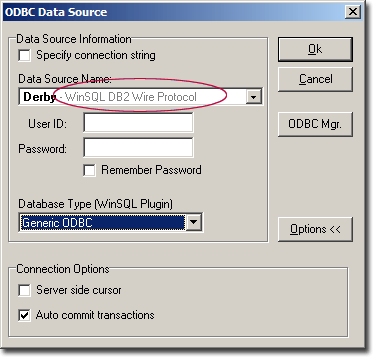
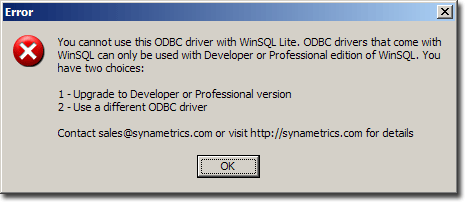
| ODBC Drivers | You will not be able to use the ODBC drivers that comes with WinSQL.
Click here for a screen shot. Trying to use this driver will result in this error message. |
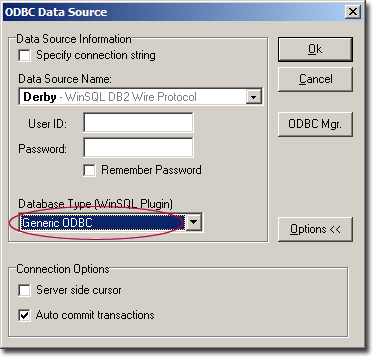
| Database Plugins |
You will only see "Generic ODBC" in the database type. This means that
WinSQL will no longer use database specific plugins. Database plugins pull information like:
|
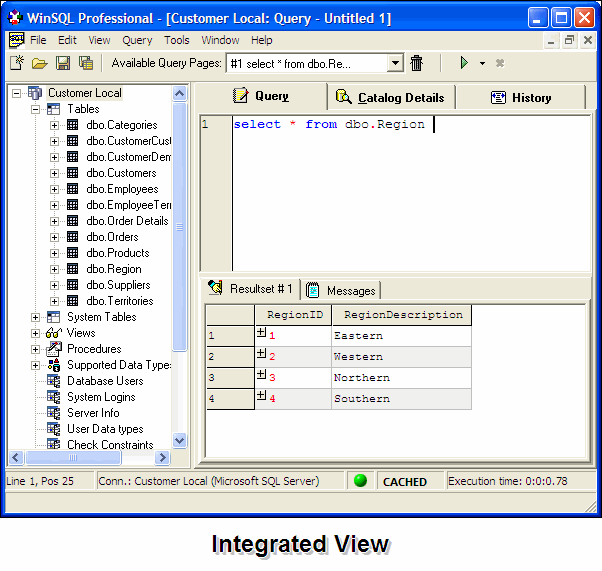
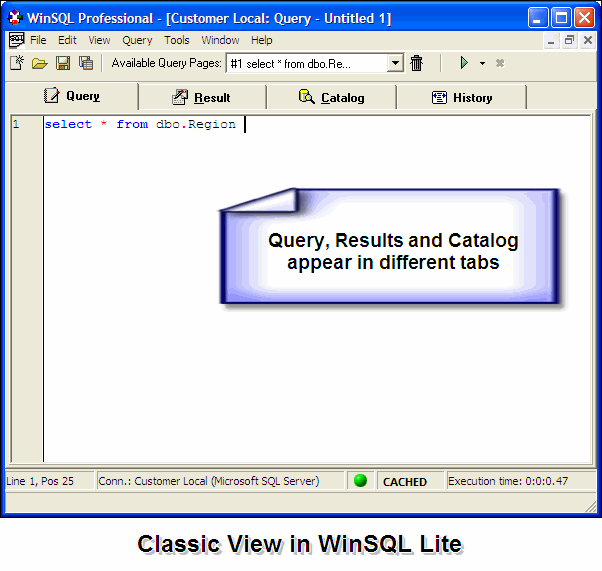
| Integrated/Classic View | Integrated View gets disabled. You only have access to Class View in WinSQL Lite.
|
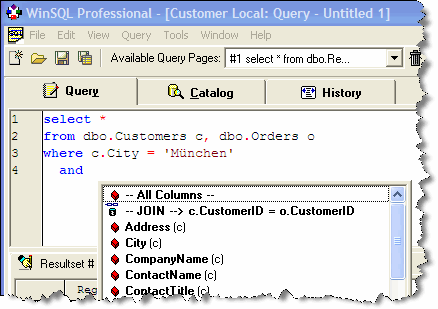
| Intelli Tips |
|
| Drill Down Resultset | The Drill Down feature will get disabled. When you run
any query you will NOT see the (+) plus signs in the result grid |
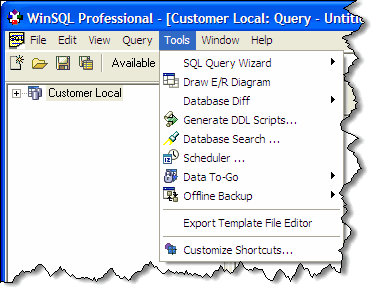
| Tools Menu |
|
| Inline Results | In the Professional edition you have a choice of displaying the results under
the query area or in a separate tab. In case of WinSQL Lite, the results will always be displayed
in a separate tab.
|
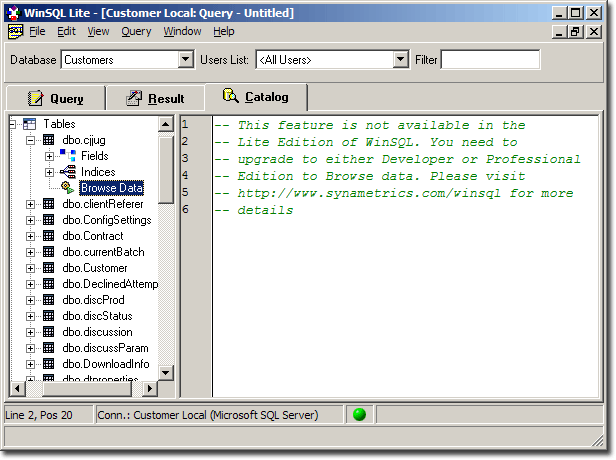
| Browse Data | Data browsing in the catalog window will get disabled.
You must type queries manually in the query window to select data from tables. You will see
this error message when browsing data. |
| Import/Export |
You will not be able to use the Import/Export features in WinSQL.
|
| SQL Wizard |
You will not be able to use the SQL Wizard. All queries must be typed manually in the query
window.
|
| Query History |
The History tab will not be visible any more.
|
| Printing Results |
You won't be able to print result grid as reports.
|
| Export to executable |
You won't be able to export result grids to executable files.
|
Add a comment to this document
Do you have a helpful tip related to this document that you'd like to share with other users?