Synametrics Technologies
Revolving around the core of technology
Using disk quotas
Disk quotas in Syncrify
Disk quotas allows administrators to limit the amount of disk space consumed by backed up files for users on the server. By default, disk quotas are disabled and every user will have an unlimited amount of disk space on the server, which is only limited by the physical space available.When a user backs up files larger than the quota specified for their account, they will receive errors when backing up. Additionally, the administrator will be sent a warning email message.
Enabling quota
The value for disk quota is specified when creating a new user or modifying existing users. The following image displays the field on the screen.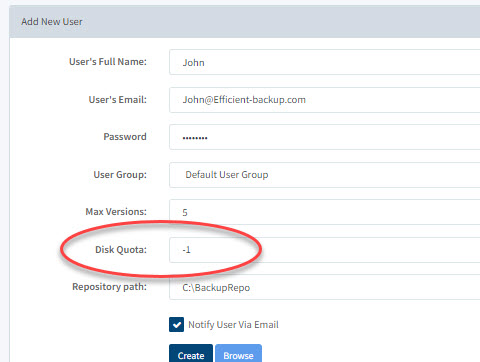
The value for disk quota is specified in bytes. You can also use acronyms to specify higher number. For example:
- kb - Kilobytes, for example 10 kb
- mb - Megabytes, for example 100 mb
- gb - Gigabytes, for example 4 gb
- tb - Terabytes, for example 1 tb
