Synametrics Technologies
Revolving around the core of technology
Document information
| Document ID: | 816 |
|---|---|
| Subject: | How to take a screen shot of any window |
| Creation date: | 7/29/09 4:49 PM |
| Last modified on: | 10/22/12 2:47 PM |
Details
Follow the steps below to take a screen shot:
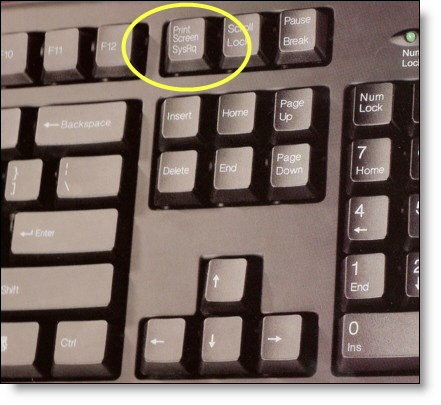
- Press ALT+Print Screen button on your keyboard to copy the active Window on to the clipboard.
- OR, press just the Print Screen button to copy the image of your entire desktop to the clipboard
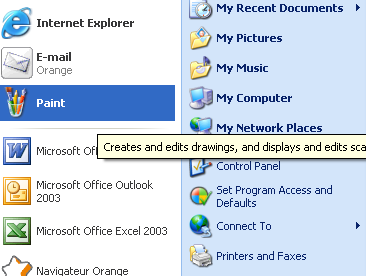
- Then, start any program that is capable of handing images, such as MS Word, Wordpad or MS Paint.
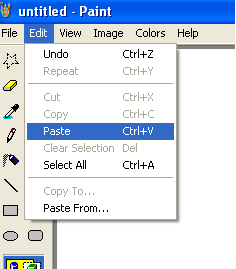
- Paste the image in the program.
- Save the file.
Add a comment to this document
Do you have a helpful tip related to this document that you'd like to share with other users?
Important: This area is reserved for useful tips. Therefore, do not post any questions here. Instead, use our public forums to post questions.
