Synametrics Technologies
Revolving around the core of technology
Backing up open and locked file
Starting from version 2.6, Syncrify can backup opened and locked files. This feature only applies when running on Microsoft Windows platform.Volume Shadow Copy (VSS)
Many applications running on Microsoft Windows OS can choose to lock their data files. This often create problems when other applications, such as Syncrify client, want to read these files during backup. Volume Shadow Copy or VSS, is a technology included in Microsoft Windows that allow taking manual or automatic backup copies or snapshots of data, even if it has a lock, on a specific volume at a specific point in time over regular intervals.Enabling VSS in Syncrify
VSS is automatically enabled in Syncrify when you check the box for Backup locked files. See image below.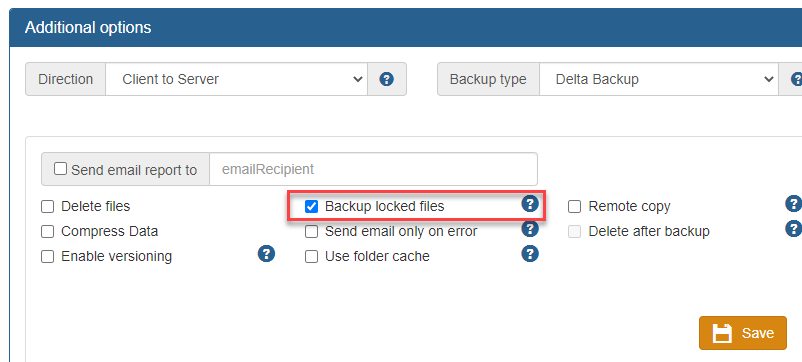
Prerequisites for using VSS
The following prerequisites must be met before using this options:
Operating system
You must be using Syncrify client on Windows XP, 2003, Vista, Windows 7, 2008 or higher. VSS is not available on Windows 2000.
User privileges
Using VSS on Windows is considered a privileged task available to users belonging to the Administrator group.
Therefore, ensure you are using a user account with enough privileges.
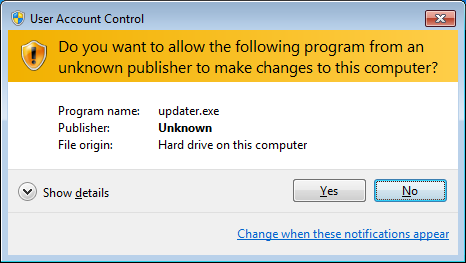
Backup jobs are typically run in the background by a service. Services are already elevated and therefore, no other step is required.
You will need to elevate the user account when running manual backup. This is done by right clicking the shortcut for Syncrify Client and selecting Run as Administrator
Backup jobs are typically run in the background by a service. Services are already elevated and therefore, no other step is required.
You will need to elevate the user account when running manual backup. This is done by right clicking the shortcut for Syncrify Client and selecting Run as Administrator
Required services
VSS requires following services to be running on Windows.
- COM+ System Application
- Distributed Transaction Coordinator
OS Architecture
You cannot use the 32-bit version of Syncrify client if running on 64-bit version of the OS. You must download the 64-bit version of Syncrify client in order to use VSS. VSS does not work with Windows WOW (Windows on Windows).
Using Two-way sync with VSS
VSS creates a read-only copy of the locked files. Therefore, Syncrify won't be able to fetch a newer copy from the server if the file on the client is locked. In such cases, you will see an error in the log file and Syncrify will skip the file.
