Synametrics Technologies
Revolving around the core of technology
Document information
| Document ID: | 1337 |
|---|---|
| Subject: | Browsing files on the server |
| Creation date: | 5/19/10 2:14 PM |
| Last modified on: | 3/25/14 3:49 PM |
Browsing files on the server
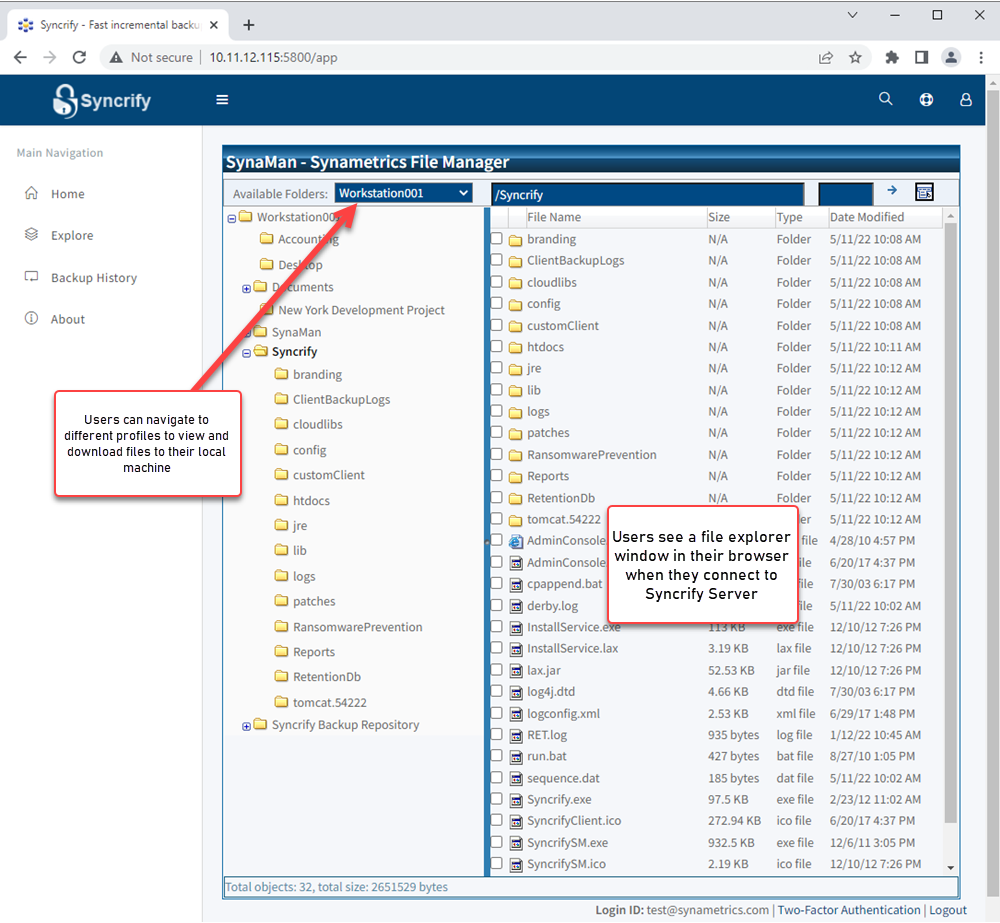
When a normal user connects to the Syncrify web interface, they can view files that are backed up on the server. The following image display a screen shot of what a user see when they connect to Syncrify server using a browser.
Using this interface they can view as well as download any file to any machine.
|
Usage Tips
|
Mobile Access
Often users need to access their backed up files from mobile devices, such as an iPhone, iPad, or an Android tablet. Starting from v3.3 users can access their backed up files from any mobile device. The following devices are supported:- iPhone
- iPad
- iPod
- Android phones and tablets
- Windows Mobile
- Blackberry
Accessing backed up files from a mobile device
The following instructions are for iPhone. Other devices work in similar manner.- Open the default web browser on your device
- Type the URL of your Syncrify server. For example: http://backup.yourCompany.com:5800
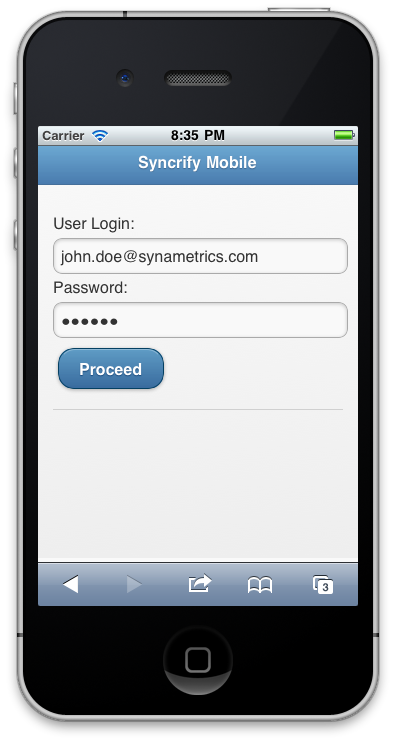
- This brings up the login screen. See screen shot.
- Specify your login ID and password. Remember, your login ID is typically your email address.
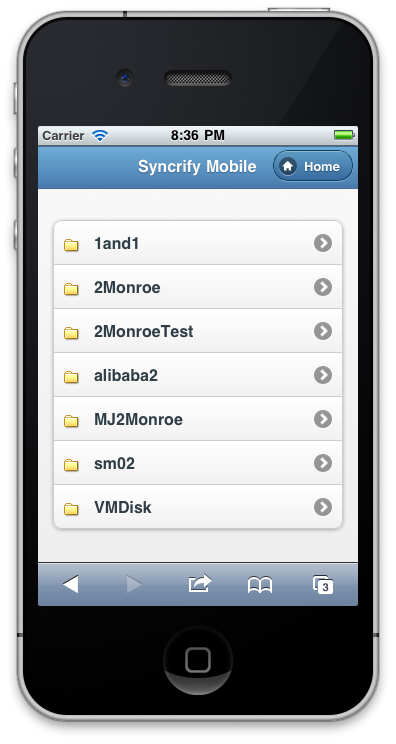
- The next screen will display a list of available profiles. See screen shot.
- Select the desired profile and navigate to the file you need. See screen shot
- Finally, click the desired file. See screen shot. The next screen will allow you to either download the file or send it via email to anyone you like. Please keep in mind that some devices, such as iPhone, does not allow downloading every file. It will only allow a handful of files, such as Word documents, PDF documents, images and a few other.
When sending email, the file will be sent as an attachment. Please keep in mind that your email server may have an upper limit on the file size that can be sent via email.
User comments
Posted by sudhir on 5/17/19 7:56 AM
can i restore my folder in back date, suggest me which software is helpful for me and how to purchace.
Add a comment to this document
Do you have a helpful tip related to this document that you'd like to share with other users?
Important: This area is reserved for useful tips. Therefore, do not post any questions here. Instead, use our public forums to post questions.